
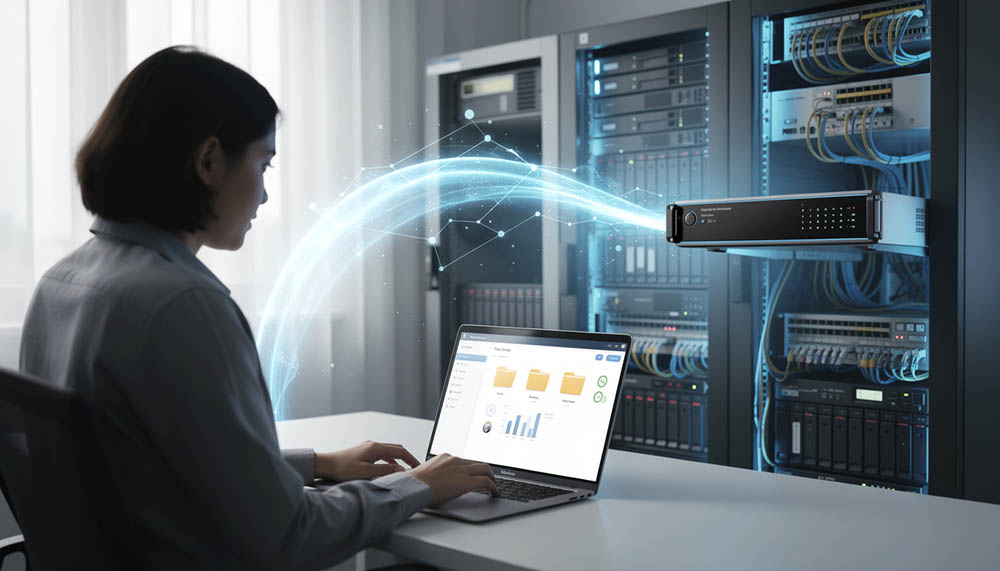
The way businesses work today has changed significantly compared to the past. Many employees now work remotely, travel frequently, handle customer support outside the office, or need to access company files from home after office hours. Because of this, businesses are looking for safer and more reliable ways to access work files remotely without compromising company data security.
One of the most effective methods businesses use today to access work files from home is by combining VPN firewall technology together with NAS file storage systems inside the office environment.
This setup allows employees to securely connect back to the office network remotely and access company files almost like they are physically inside the office, while still maintaining better control, backup protection, and long-term data management compared to relying fully on third-party cloud subscription platforms.
In this article, we will explain how businesses can access work files from home securely using VPN and NAS systems, how the setup works, and why many SMEs are now moving toward this method for better data protection and operational control.
Why Businesses Need Remote File Access Today
Modern businesses rely heavily on digital documents every day.
This includes:
- quotations
- invoices
- customer records
- accounting files
- project documents
- design files
- operational reports
- photos and videos
- internal company documents
In many businesses, employees no longer work only inside the office. Staff may:
- work remotely
- travel between customer locations
- work from home
- access files after office hours
- collaborate across multiple locations
Without proper remote access systems, employees often end up using unsafe methods like:
- sending files through WhatsApp
- using personal Google Drive accounts
- saving files inside laptops only
- using unsecured USB drives
- sharing files randomly through public cloud services
Over time, these practices create major risks involving:
- data loss
- unauthorized access
- file duplication
- missing documents
- security leakage
- difficult backup management
This is why businesses need a more structured and secure way to access work files from home.
What Is A NAS File Server?
NAS stands for Network Attached Storage.
In simple terms, a NAS server is a centralized file storage system installed inside the office network where all company files can be stored, organized, managed, and protected more properly.
Instead of employees saving files separately inside:
- individual laptops
- desktop computers
- external hard disks
- random USB drives
all important company data can be stored inside one centralized storage environment.
This allows businesses to:
- organize files better
- manage permissions centrally
- perform scheduled backups
- recover deleted files
- improve collaboration
- reduce scattered file storage
Modern NAS systems can also support:
- automatic backups
- version history
- access control
- remote access
- encrypted storage
- RAID redundancy
- offsite synchronization
For SMEs, NAS storage provides a practical balance between:
- cost
- control
- security
- flexibility
without needing expensive enterprise infrastructure.
What Is VPN & Why Is It Important?
BVPN stands for Virtual Private Network.
A VPN firewall allows employees outside the office to securely connect back into the company network remotely through encrypted communication.
In simpler words:
VPN creates a secure tunnel between the employee device and the office network.
Once connected through VPN, employees can access:
- office shared folders
- NAS file server
- internal systems
- office printers
- company applications
almost as if they are physically inside the office.
Without VPN protection, directly exposing office file servers to the internet can become extremely dangerous because hackers may attempt unauthorized access into company systems.
This is why VPN is extremely important for secure remote file access.
How VPN + NAS Work Together
The VPN firewall and NAS file storage usually work together in the following structure:
- Company files are stored inside the office NAS server
- Employees connect securely into office network through VPN
- VPN verifies user authentication and permissions
- Employees access only the folders they are allowed to use
- File activities remain centralized and manageable
This setup allows businesses to maintain:
- better security
- centralized storage
- controlled remote access
- backup protection
- file visibility
while still supporting remote working flexibility.
Why This Method Is Better Than Only Using Public Cloud Storage
Many businesses today rely heavily on subscription cloud storage services.
While cloud services are convenient, many SMEs eventually realize several limitations over time.
One major concern is data ownership and control.
When businesses fully depend on third-party cloud platforms:
- data is stored outside the company environment
- subscription cost continues monthly
- storage expansion increases cost
- account access depends on provider policies
- accidental deletion may sync across devices instantly
In some cases, if staff accidentally delete important files from cloud folders, the deletion may immediately synchronize across all connected devices.
This creates risk if:
- backup retention is not configured properly
- deletion is not noticed early
- malicious users intentionally remove files
By using NAS storage together with VPN access, businesses can maintain:
- local copies of company files
- better backup management
- stronger internal control
- additional recovery flexibility
The business owns and controls the storage environment directly.
Protection Against Accidental Or Malicious Data Deletion
One major advantage of centralized NAS storage is better file recovery capability.
In many businesses today, employees may accidentally:
- delete folders
- overwrite files
- format devices
- remove important documents
Sometimes unhappy staff may also intentionally attempt to remove company data before leaving the organization.
When files exist only inside employee laptops or personal cloud accounts, recovery can become extremely difficult.
Especially with SSD storage today, deleted data often becomes unrecoverable much faster compared to older hard drives.
With proper NAS backup structure, businesses can:
- keep deleted file history
- maintain backup snapshots
- restore previous versions
- recover accidentally removed folders
At the same time, normal users can also be restricted from permanently destroying backup copies.
This provides businesses another layer of operational protection.
Better Access Control & User Management
Once your Another important benefit of VPN + NAS systems is centralized access control.
Not every employee should access every company file.
Businesses can configure permissions based on:
- department
- job role
- management level
- project access
- operational requirements
For example:
- HR folders only accessible by HR staff
- accounting folders restricted to finance department
- management documents hidden from general staff
- project folders limited to assigned team members
This improves:
- internal security
- operational organization
- confidentiality control
- accountability tracking
Businesses can also:
reduce unauthorized sharing
disable access immediately when staff resign
monitor login activities
review file access logs
Lower Long-Term Cost Compared To Subscription Platforms
Another reason many SMEs prefer VPN + NAS solutions is cost control.
Subscription cloud services usually involve:
- monthly recurring fees
- per-user licensing
- storage upgrade cost
- additional backup subscriptions
- long-term dependency
As businesses grow and data volume increases, monthly subscription expenses can become significant over time.
With NAS infrastructure:
- businesses own the hardware
- storage can scale gradually
- fewer recurring costs involved
- local backup remains available
- operational control stays internal
Although initial setup investment may exist, long-term maintenance cost is often more manageable for SMEs compared to continuously expanding cloud subscriptions.
Better Business Continuity & Operational Stability
Having centralized storage also improves business continuity.
If an employee laptop suddenly:
- fails
- gets stolen
- becomes corrupted
- gets formatted
important files can still remain safely stored inside the office NAS server.
This reduces dependency on individual devices.
Businesses can continue operating more smoothly because:
- files remain centralized
- backup copies exist
- recovery becomes easier
- device replacement becomes less stressful
This also simplifies IT management for growing SMEs.
Offsite Backup Adds Another Layer Of Protection
Some businesses also implement optional offsite backup solutions together with NAS systems.
This means backup copies are synchronized to another secure location separately from the office.
This helps protect businesses against:
- hardware failure
- ransomware attacks
- office disasters
- fire
- theft
- severe data corruption
Having both:
- local NAS storage
- offsite backup protection
creates stronger overall business data resilience.
Data Encryption Improves Security Further
For businesses handling sensitive information, encryption can also be added.
Encrypted storage helps protect:
- customer records
- financial documents
- confidential company data
- internal business information
Even if storage devices are physically stolen, encrypted data becomes significantly harder to access without authorization.
This adds another layer of security for businesses concerned about privacy and compliance.
Is This Setup Suitable For SMEs?
Many SMEs assume VPN and NAS systems are only for large corporations.
In reality, modern NAS and VPN solutions are now much more affordable and practical for small and medium-sized businesses.
This setup is especially suitable for:
- accounting firms
- design companies
- service businesses
- trading companies
- property agencies
- remote working teams
- businesses with multiple users handling shared files
The solution can also scale gradually as the business grows.
Final Thoughts
Businesses today rely heavily on digital information for daily operations.
Without proper file storage structure, backup planning, and remote access control, businesses may eventually face:
- data loss
- security leakage
- operational disruption
- accidental deletion
- expensive recovery situations
Using VPN firewall together with NAS file storage creates a more structured and secure way for businesses to access work files from home while maintaining stronger data control, backup protection, and operational stability.
Instead of depending fully on scattered devices or third-party cloud platforms alone, businesses can build their own centralized storage environment with better ownership, flexibility, and long-term protection.
As remote working and digital operations continue growing, having proper remote file access infrastructure is no longer just an IT upgrade.
It is becoming part of long-term business continuity and operational protection.
