
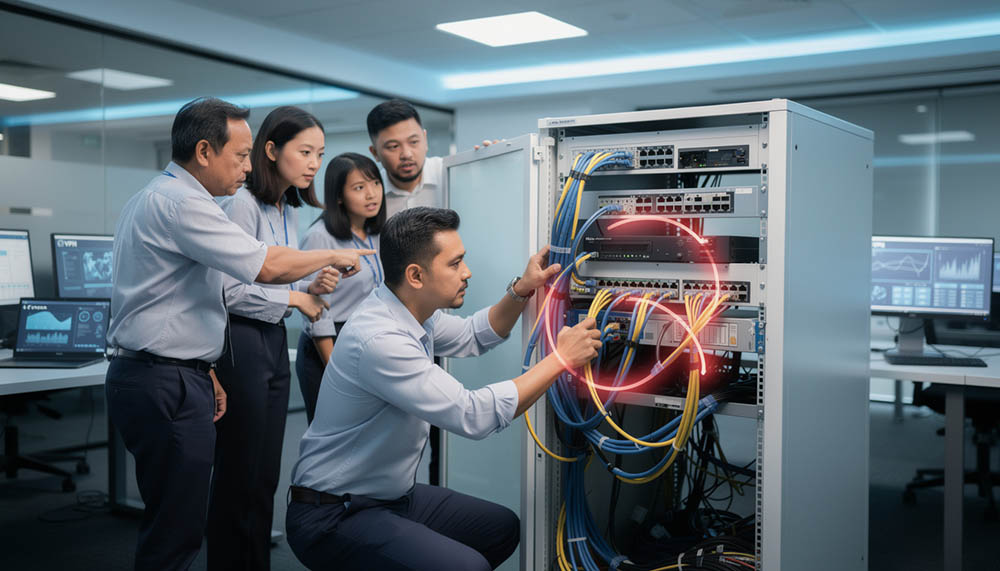
One of the most frustrating situations for businesses today is when internet and network issues keep happening repeatedly without knowing the real root cause.
Recently, we attended an onsite IT troubleshooting case for a customer experiencing unstable internet connection issues inside their office environment. What made this case interesting was the problem had already been ongoing for quite some time, and the customer had already engaged multiple IT support engineers before contacting us.
Unfortunately, the issue still remained unresolved.
For businesses, unstable internet connection problems are not just “small technical issues”. Once the office network becomes unstable, it can immediately affect communication, customer response time, cloud system access, VPN connectivity, file sharing, and overall employee productivity.
In this case, the customer’s business operations were being interrupted almost every day.
The Problems Experienced By The Customer
According to the customer, the office internet connection behaved very strangely.
- Sometimes the internet connection worked normally.
- Sometimes it suddenly disconnected.
- Sometimes the VPN connection kept connecting and disconnecting repeatedly.
- At certain times, the internet would completely stop working for a short moment before automatically restoring itself again.
The customer initially suspected the problem came from the employee laptop because the issue happened while using the office computer during work.
However, another strange observation was discovered.
When the same laptop was brought back home and connected to the user’s home internet connection, everything worked perfectly fine.
- No VPN disconnection.
- No unstable internet.
- No interruption.
This created confusion because the laptop itself appeared normal outside the office environment.
Previous Troubleshooting Attempts
Before contacting us, the customer had already engaged two separate IT support technicians to troubleshoot the problem.
Unfortunately, the issue still could not be identified properly.
Most of the troubleshooting focused mainly on:
- reinstalling software
- checking the laptop
- checking VPN applications
- resetting user settings
- testing internet speed
However, the unstable connection issue still continued happening repeatedly after the troubleshooting sessions.
This situation is actually quite common in many businesses.
Sometimes technicians focus too heavily on the device users complain about instead of understanding the overall network environment behind the issue.
When users experience internet disconnection while using a laptop, many people immediately assume:
- the laptop is faulty
- Windows is corrupted
- VPN software has problems
- WiFi adapter is damaged
But in reality, network issues can sometimes originate from deeper infrastructure problems inside the office environment itself.
Our Troubleshooting Approach
When we arrived onsite, we first listened carefully to the customer’s explanation and observed the issue pattern.
One important thing we noticed immediately was: the problem was inconsistent.
This usually means the issue may not originate from a single faulty device.
Instead of blindly replacing components or reinstalling systems immediately, we began troubleshooting the environment step by step.
This included checking:
- router behavior
- network switch connections
- office network structure
- IP allocation
- internet gateway stability
- physical network cable routing
- overall network communication flow
Based on experience, unstable network behavior that appears randomly often indicates:
- network conflict
- DHCP conflict
- duplicate IP issue
- cable looping
- unstable switching environment
- broadcast storm problem
These problems are sometimes difficult to detect if troubleshooting only focuses on one laptop alone.
The Actual Root Cause
After deeper checking across the office network infrastructure, we finally identified the actual root cause.
The issue was caused by a network cable looping problem between the office router and network switches.
Because of the incorrect cable connection structure, the office network environment started experiencing IP conflicts and unstable network communication behavior.
This explains why:
- VPN disconnected randomly
- internet suddenly dropped
- connection restored by itself afterward
- office network behaved inconsistently
The unstable network environment caused communication conflicts inside the network infrastructure itself.
This type of issue is especially dangerous because:
- sometimes everything appears normal
- sometimes the problem suddenly appears
- the issue may affect different users differently
- internet speed tests may still appear “normal”
Without checking the overall network structure properly, the actual problem can easily be overlooked.
Why The Problem Was Difficult To Detect
Many businesses assume internet issues are always caused by:
- ISP problems
- faulty laptops
- VPN software
- WiFi issues
But modern office networking environments are much more complicated today.
Inside a typical office environment, there are usually:
- routers
- switches
- access points
- CCTV systems
- printers
- servers
- employee laptops
- desktops
- NAS storage
- cloud applications
- VPN communication
Once network infrastructure becomes messy or unmanaged over time, small mistakes can slowly create major instability.
Cable looping is one example.
A single incorrect cable connection may create repeated network communication loops, eventually causing:
- unstable internet
- IP conflicts
- network flooding
- random disconnections
- intermittent downtime
Without systematic troubleshooting, technicians may continue replacing devices endlessly without solving the actual source.
Solving Problems By Finding The Root Cause
One thing we strongly believe in during IT troubleshooting is this:
Temporary fixes are not enough.
If the actual root cause is never identified, the same problem will continue repeating again and again.
This is why our troubleshooting approach focuses heavily on:
- observing the issue pattern
- checking the full environment
- isolating the source systematically
- understanding how devices communicate together
- identifying infrastructure-level problems
Instead of guessing blindly or repeatedly reinstalling software, we prefer narrowing down the issue step by step until the actual source is confirmed.
This approach helps businesses:
- reduce repeated downtime
- avoid unnecessary hardware replacement
- prevent recurring technical issues
- improve long-term network stability
Experience Makes A Difference
In the IT support industry, experience plays a very important role.
Some technical problems cannot be solved purely by checking one device alone.
Real-world troubleshooting often requires:
- environmental understanding
- infrastructure knowledge
- networking experience
- operational observation
- patience during diagnosis
With nearly 20 years of experience in the IT support industry, we have handled many different office environments and troubleshooting situations involving:
- unstable networks
- office VPN issues
- server communication problems
- routing conflicts
- WiFi instability
- hardware failures
- system crashes
- business operation interruptions
Many issues today are interconnected across multiple systems instead of isolated to one device only.
This is why systematic troubleshooting becomes extremely important.
The Value We Try To Deliver
For us, IT support is not just about fixing a problem temporarily.
Our goal is to help businesses:
- identify the actual root cause
- reduce recurring problems
- improve operational stability
- minimize unnecessary downtime
- create more reliable IT environments
Businesses already face enough challenges running operations daily.
Repeated IT problems should not become another unnecessary headache.
By focusing on root cause troubleshooting instead of surface-level fixing, businesses can avoid repeatedly wasting time, productivity, and money on the same issue over and over again.
That is also one of the core values we always try to deliver through our onsite IT support services.
Sometimes the real problem is not the device users see in front of them.
Sometimes the real issue is hidden quietly somewhere deeper inside the network infrastructure itself.